

Editorial note: Updated September 2026. Pricing and features in this category change frequently — verify current plan details with each provider before subscribing.
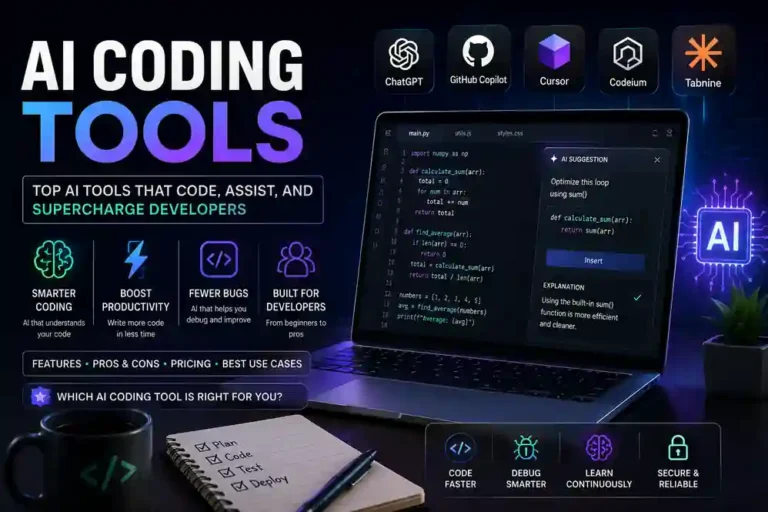
AI coding tools have moved from optional extras to core parts of how software gets written. In 2026, the question is no longer whether to use AI while coding — it is which tool fits how you actually work. This guide covers the leading options, what distinguishes them, and who each one suits.
The quick summary
If you want the short version before the detail:
- Cursor — best overall for developers who want an AI-native editor with deep codebase understanding
- GitHub Copilot — best for teams already on GitHub or working in enterprise environments
- Windsurf — strongest autonomous agent capabilities; best if you want the AI to handle entire tasks independently
- Replit AI — best for beginners, students, and quick cloud-based prototyping
- Tabnine — best for privacy-sensitive teams who need on-premises or air-gapped deployment
What AI coding tools actually do
Modern AI coding tools do significantly more than autocomplete. The best ones in 2026 operate across three distinct modes:
Completion — predicting the next line or block of code as you type. This is the foundation all tools share. Quality varies by language, context window size, and how well the model has been trained on code.
Chat and instruction — asking the AI to explain a function, debug an error, refactor a section, or write a new feature from a description. Most tools now support this through a sidebar or inline command.
Agentic operation — giving the AI a higher-level goal and letting it plan and execute multiple steps: reading relevant files, writing code, running tests, interpreting results, and iterating. This is the most powerful and rapidly evolving mode, and where the tools diverge most significantly.
Cursor
Cursor is a fork of VS Code built specifically for AI-assisted development. It ships with its own interface, its own AI models (including access to Claude and GPT-4o via the Cursor API), and a set of features designed around the premise that AI should understand your entire codebase, not just the file you have open.
What makes it different: Cursor indexes your entire project and uses that context when generating code or answering questions. When you ask it to add a feature, it can reference how similar patterns are implemented elsewhere in the codebase rather than producing generic code that needs adapting. This context awareness produces meaningfully better output on real projects than single-file AI tools.
Composer is Cursor’s agentic mode. You describe a task in plain language, and Composer plans and executes it across multiple files — creating new files, editing existing ones, running terminal commands, and checking its own output. For feature development, it reduces the back-and-forth of manually orchestrating AI suggestions.
Tab completion in Cursor is multi-line and contextual. It predicts not just the current line but the next several, and adapts to your coding style over time.
Languages and frameworks: Cursor works well across Python, TypeScript, JavaScript, Go, Rust, Java, C++, and most other common languages. Quality on less common languages reflects underlying model training.
Pricing:
- Hobby: Free (limited completions and composer uses per month)
- Pro: £16/month (500 fast requests/month, unlimited slow requests)
- Business: £32/user/month (private codebase indexing, admin controls, SSO)
Best for: individual developers and small teams who want the most capable AI coding environment and are comfortable working in a VS Code-based editor.
Watch out for: the free tier limits are easy to exhaust on active development days. Pro usage limits (fast vs slow requests) can feel restrictive on heavy-use projects.
GitHub Copilot
GitHub Copilot is Microsoft and GitHub’s AI coding assistant, available as an extension for VS Code, Visual Studio, JetBrains IDEs, Neovim, and the GitHub web editor. It runs on OpenAI’s models and has the largest installed base of any AI coding tool.
What makes it different: Copilot’s integration with GitHub is its clearest advantage. Copilot Workspace lets you create a plan and implement changes directly from a GitHub issue. Copilot Code Review adds AI review to pull requests. Copilot Chat is available directly in GitHub.com. For teams whose workflow is centred on GitHub — issues, PRs, Actions — Copilot has integrations that no other tool matches.
Copilot Agent mode (available in VS Code) handles multi-file tasks autonomously: reading the codebase, proposing changes, running terminal commands, and iterating based on errors. It is capable and improving rapidly, though Cursor’s Composer and Windsurf’s Cascade still lead in complex agentic tasks.
Enterprise features: GitHub Copilot Enterprise offers organisation-wide knowledge bases (so Copilot can reference internal documentation and codebases), policy controls, and audit logging. For larger organisations with compliance requirements, this makes Copilot the most practical choice.
Pricing:
- Individual: £9/month (or £90/year)
- Business: £17/user/month
- Enterprise: £33/user/month
Best for: teams already working on GitHub, enterprise organisations that need policy controls and audit logs, developers who want AI across multiple IDEs without switching editors.
Watch out for: Copilot’s context window in standard use is smaller than Cursor’s full-project indexing. It works file-by-file rather than project-wide by default, which matters on larger codebases.
Windsurf
Windsurf is Codeium’s AI-first editor, launched in late 2024 and rapidly adopted by developers who prioritise autonomous agentic coding over incremental assistance. Like Cursor, it is a VS Code fork, but its design philosophy leans more heavily toward letting the AI take the wheel.
What makes it different: Cascade, Windsurf’s agentic system, is designed to operate with more autonomy than Cursor’s Composer. It plans multi-step tasks, reads terminal output, adapts to errors, and continues iterating without requiring confirmation at each step. Developers who want to describe a feature and check back when it’s done — rather than staying engaged throughout — tend to prefer Windsurf’s approach.
Flow awareness is Windsurf’s term for its context model: the AI tracks what you have been doing in the editor, which files you have opened, what terminal commands have run, and what errors have appeared, and uses all of this as ongoing context rather than just the current file. In practice this produces more coherent agentic outputs on tasks that span multiple sessions.
Codeium autocomplete is Windsurf’s underlying completion engine, which Codeium has offered separately for several years. It supports over 70 programming languages and tends to be fast and accurate on completions.
Pricing:
- Free: limited Cascade uses per day, unlimited Codeium completions
- Pro: £12/month (unlimited Cascade, GPT-4o and Claude access, priority speed)
- Teams: £20/user/month (shared usage, admin controls)
Best for: developers who want maximum AI autonomy for feature development, and teams who prefer a less interrupt-driven agentic workflow.
Watch out for: Cascade’s autonomous operation means it can make changes across many files quickly. For large codebases or unfamiliar code, reviewing what it has changed before committing is important.
Replit AI
Replit is a cloud-based development environment with AI built in throughout. Unlike Cursor, Copilot, and Windsurf — which augment desktop development — Replit runs entirely in the browser, manages hosting and deployment, and targets a broader audience including beginners, students, and non-professional developers.
What makes it different: Replit AI (formerly Ghostwriter) combines code generation, explanation, debugging, and deployment in a single browser-based environment. You do not install anything. Replit manages the runtime, the package installation, and optionally the hosting. For someone learning to code, prototyping a side project, or building a simple web application, the zero-setup experience is a genuine advantage.
Replit Agent can build applications from a plain-language description — setting up the project structure, writing the code, installing dependencies, and deploying a working version — without manual configuration. For non-developers or early-stage prototyping, this is the closest to a “describe and ship” experience currently available.
Limitations for professional use: cloud-based execution adds latency, the free tier is heavily limited, and the environment is less capable than a local IDE for complex, multi-service professional projects. Serious production development typically moves off Replit once a project grows beyond early stages.
Pricing:
- Free: limited compute, public projects only
- Core: £18/month (private projects, more compute, full Agent access)
- Teams: £26/user/month
Best for: beginners learning to code, educators, non-developers building simple tools, rapid prototyping before moving to a production setup, and anyone who needs a zero-setup coding environment.
Not suitable for: professional production codebases, projects requiring local execution, or teams with complex infrastructure requirements.
Tabnine
Tabnine is one of the older AI coding tools and has carved out a specific position in the 2026 market: privacy-first AI code completion for teams that cannot or will not send code to third-party cloud services.
What makes it different: Tabnine offers on-premises deployment, meaning the AI model runs on your own infrastructure and your code never leaves your environment. For enterprises in regulated industries — healthcare, finance, legal, government — where code confidentiality is a hard requirement, this is often the decisive factor.
Code privacy controls extend to the model training as well. Tabnine does not train on user code by default, and its enterprise offering provides contracts confirming this. For organisations where the IP implications of cloud-based AI training are a legal concern, this matters.
Quality trade-off: Tabnine’s completion quality is competitive on common patterns but generally trails Cursor and Copilot on complex multi-file and agentic tasks. The privacy model requires accepting some capability ceiling compared to cloud-first alternatives.
Pricing:
- Free: basic completions, limited context
- Pro: £9/month (longer context, more languages)
- Enterprise: Custom pricing (on-premises deployment, private model, SSO, audit logs)
Best for: regulated-industry teams with strict code privacy requirements, organisations with security policies that prohibit sending code to third-party cloud services, and enterprises that need on-premises AI deployment.
Comparison table
| Tool | Best for | Agentic quality | Privacy | Starting price |
|---|---|---|---|---|
| Cursor | AI-native individual development | Excellent | Cloud | Free / £16/mo |
| GitHub Copilot | GitHub-integrated teams, enterprise | Good | Cloud | £9/mo |
| Windsurf | Autonomous agentic workflows | Excellent | Cloud | Free / £12/mo |
| Replit AI | Beginners, prototyping, no-setup | Good | Cloud | Free / £18/mo |
| Tabnine | Privacy-sensitive enterprise teams | Basic | On-prem available | Free / £9/mo |
How to choose
You are a solo developer or small team: Start with Cursor’s free tier. Its full-project context awareness produces the most useful AI assistance on real codebases. If you hit the limits and use agentic features heavily, Windsurf Pro at £12/month is the better value.
You work in a GitHub-centred team: GitHub Copilot is the natural fit. The issue-to-code Workspace flow, PR review integration, and team billing make it operationally simpler than mixing tools.
You want maximum AI autonomy: Windsurf’s Cascade is currently the strongest agentic implementation for developers who want to describe a task and minimise manual steps between prompt and working code.
You are learning to code or prototyping quickly: Replit. The zero-setup environment, integrated deployment, and Agent feature remove every barrier between an idea and a working application. Upgrade to Core if you need private projects.
Your organisation has strict code privacy requirements: Tabnine Enterprise. Accept the capability trade-off; the on-premises deployment and privacy contracts are worth it if cloud code transmission is prohibited.
What to expect from AI coding tools in practice
A realistic expectation matters. The best AI coding tools in 2026 can write solid boilerplate, complete standard patterns accurately, explain unfamiliar code well, suggest reasonable test cases, and handle routine refactoring reliably. They meaningfully reduce time on the mechanical parts of software development.
They still make mistakes on complex business logic, produce code that compiles but does not behave correctly, and require review — especially in agentic mode. The developers who get the most from these tools treat AI output as a capable first draft rather than a final answer: fast to generate, worth scrutinising before it ships.
The productivity gains are real and significant. The ceiling on those gains depends on how well you learn to prompt, review, and direct the tool you choose.