

Last updated: August 2026
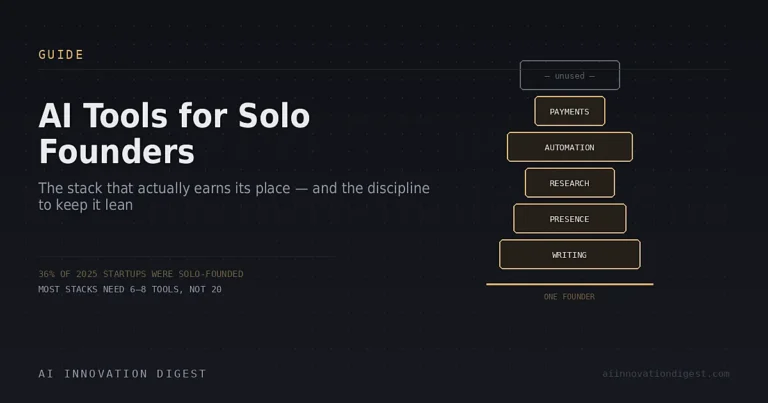
Solo-founded startups have gone from a fringe path to a real category — one recent count put solo founders at over a third of new startups by mid-2025, up from under a quarter just a few years earlier. AI is a big reason why: tasks that used to require a co-founder, a contractor, or a small team — content, design, research, customer support, basic ops — are now genuinely doable by one person with the right tools.
The risk isn’t a shortage of AI tools for solo founders. It’s the opposite. Every landing page promises to “replace your team,” and the honest failure mode for most solo operators isn’t under-tooling, it’s stack bloat — a scheduling tool here, a CRM there, an automation platform that “integrates with everything” until you actually check. This guide is organized by the actual jobs a solo founder needs done, not by a ranked list of logos, and it flags the real tradeoffs rather than pretending every tool here is essential for every founder.
How to Use This Guide
Before adding anything to your stack, it’s worth applying a simple filter: does this tool replace a task you were doing manually, or does it just add a dashboard to check? A tool earns a subscription by removing work, not by promising to. With that in mind, here’s the stack broken down by function.
Writing and Content
ChatGPT or Claude cover the general-purpose writing job — drafting emails, landing page copy, product descriptions, and internal docs — and for most solo founders, one of these two subscriptions is the actual foundation of the stack, not a specialized tool. Claude tends to edge ahead for longer-form writing and iterative editing; ChatGPT’s broader ecosystem (search, voice, image generation) covers more adjacent tasks in one app. See our full ChatGPT vs. Claude comparison if you’re deciding between the two, and note that both now offer entry tiers around $20/month with real capability.
Jasper is a narrower alternative built specifically for maintaining consistent brand voice across blog posts, ad copy, and email sequences — worth considering if you’re producing high volumes of on-brand marketing content and want a tool tuned for that specific job, rather than a general assistant you’re prompting from scratch each time.
Building a LinkedIn Presence
For a huge share of solo founders — B2B especially — LinkedIn is the primary channel for building an audience and generating inbound leads, and it’s also one of the easiest parts of the stack to under-invest in simply because consistent posting is tedious.
Taplio is the most established tool built specifically for this job: AI-assisted post writing trained on a large database of high-performing LinkedIn content, a carousel generator, scheduling, and basic engagement analytics. It’s worth knowing the pricing structure before signing up, because it has a real gotcha: the entry-level Starter plan ($39/month) includes zero AI credits — you’re paying for scheduling and analytics only. The AI writing features that most people actually want Taplio for start at the Growth/Standard tier (roughly $49-79/month), and the lead-database and full-CRM features sit on the Pro tier ($149-199/month). Independent reviews are genuinely mixed: G2 ratings hover around 4/5, but Trustpilot scores run considerably lower, with complaints clustering around billing and cancellation friction rather than the core product.
If Taplio’s price point or feature set doesn’t fit, the category has real, cheaper alternatives worth knowing about: AuthoredUp ($19.95/month) focuses on solo writers who want an editing-focused Chrome extension rather than a full platform, Typegrow has a genuine free tier with a $29/month Pro option for visual and carousel content, and Supergrow starts around $19/month for AI-assisted post ideation. None of these fully replicate Taplio’s lead-generation layer, but if you only need consistent, AI-assisted posting, they’re worth comparing before defaulting to the most-marketed option.
Design and Visual Content
Canva AI remains the default for solo founders who need to produce social graphics, pitch decks, and basic brand assets without a design background — the AI features (Magic Design, background removal, image generation) cover most of what a solo operator needs without a steep learning curve. For founders who need higher-end generated imagery specifically, dedicated image generation tools are worth layering in for hero images and marketing assets, but Canva’s all-in-one approach covers the 80% case for most solo stacks.
Research and Market Intelligence
Validating an idea, sizing a market, or keeping tabs on competitors used to mean hours of manual searching. Perplexity is the standout tool here specifically because of its citation-first design — every answer comes with visible sources you can actually verify, which matters more for founder-level decisions than for casual lookups. It’s not perfect (see our full Perplexity review for the honest accuracy caveats), but for competitive research and market sizing, it’s faster than manual search while still showing its work.
Automation and Operations
This is where solo founders either save the most time or accumulate the most stack bloat, so it deserves the most scrutiny of any category here. Zapier, Make, and n8n are the three real options for connecting your tools without custom code — they differ meaningfully in pricing model, learning curve, and how deep their newer AI-agent features actually go. We cover the honest tradeoffs in our Zapier vs. Make vs. n8n comparison, but the short version for solo founders: start with whichever tool matches the platforms you already use, and resist the urge to build automations for problems you don’t have yet. If you’re newer to the concept of what these tools’ AI-agent features actually do versus don’t do, our plain-English explainer on AI agents is a useful primer before evaluating any platform’s agentic claims.
Scheduling and Payments
Two unglamorous but genuinely time-saving categories: a scheduling tool (Calendly and similar) that lets prospects and clients book time without email back-and-forth, and a payments layer (Stripe, Lemon Squeezy) that handles checkout and subscription billing without you building it yourself. Neither is exciting, but both are the kind of infrastructure that quietly costs hours a week if you’re doing them manually.
Knowledge Management and Notes
As a solo founder, your own notes, research, and decisions are the closest thing you have to institutional memory — there’s no team to ask “wait, why did we decide that.” Whether a bundled workspace tool, a standalone AI-first notes app, or a local-first, plugin-based setup fits best depends on how you actually think and whether you need team collaboration yet. We cover the real tradeoffs between the main approaches in our Notion AI vs. Mem vs. Obsidian AI comparison.
The Honest Warning: Stack Bloat Is the Real Risk
It’s worth ending on this because it’s the pattern that actually derails solo founders, more than any single tool choice. The typical path: one tool for email, one for scheduling, a CRM someone recommended, a writing tool, an automation platform that “integrates with everything” — until you check and half the integrations are broken or unused. The bloat almost always traces back to a specific moment: a growth sprint where tools got added and never audited afterward.
The fix isn’t more tools, it’s a periodic audit. Every quarter, look at what you’re actually paying for and ask whether it’s still removing real work or just sitting there as a recurring charge you’ve stopped noticing. For a solo operator, the total AI/SaaS stack rarely needs to exceed 6-8 tools across all the categories above — anything beyond that is usually solving a problem you don’t have yet, at the cost of one you do (subscription fatigue and context-switching overhead).
The Bottom Line
A capable solo-founder AI stack in 2026 covers five real jobs: general writing (ChatGPT or Claude), a presence-building channel like LinkedIn (Taplio or a cheaper alternative depending on budget), research (Perplexity), automation (Zapier, Make, or n8n — pick one to start), and basic knowledge management. Everything beyond that should earn its place by removing a specific, recurring task — not by promising to replace a team you don’t have yet.
FAQ
What’s the single most important AI tool for a solo founder?
A general-purpose writing and reasoning assistant — ChatGPT or Claude — covers more of a solo founder’s daily workload than any specialized tool, and is the reasonable place to start before adding anything else.
Is Taplio worth it for solo founders?
It depends on budget and whether you need AI-assisted content specifically. The entry $39/month Starter plan includes no AI credits at all — you need the Growth tier (roughly $49-79/month) to access the AI writing features most people sign up for. Cheaper alternatives like AuthoredUp, Typegrow, and Supergrow are worth comparing if Taplio’s pricing doesn’t fit.
How many AI tools should a solo founder actually use?
There’s no fixed number, but most solo operators can cover their real needs with 6-8 tools across writing, presence-building, research, automation, and operations. Beyond that, most additions are solving hypothetical future problems rather than current ones.
Do solo founders need automation tools like Zapier or Make?
Only once you have a specific, recurring manual task to eliminate — not as a default. Building automations preemptively, before you’ve identified the actual bottleneck, is one of the most common ways solo founders accumulate unused subscriptions.
Sources: Independent 2026 reviews and pricing pages (ConnectSafely, ColdIQ, Supergrow, SyncGTM for Taplio; multiple solo-founder tooling guides for category recommendations). Pricing and feature sets in this category change frequently — verify current details on each vendor’s pricing page before publishing if significant time has passed since this draft.