

Last updated: August 2026
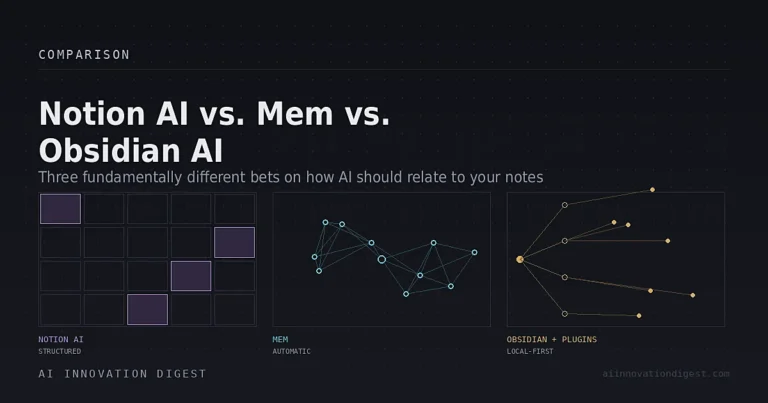
“Notion AI vs. Mem vs. Obsidian AI” is a common search, but it’s worth saying plainly before comparing features: these aren’t three versions of the same thing. They’re three different bets on how AI should relate to your notes, and the right one depends less on which has the “best” AI and more on how you actually think and work.
Notion AI is a bundled feature inside an all-in-one team workspace — you’re paying for Notion, and AI comes with the higher tier. Mem is a standalone app built AI-first from the ground up, where automatic organization is the entire product thesis. Obsidian AI isn’t a single product at all — Obsidian itself ships with zero built-in AI, and “AI in Obsidian” means a stack of community plugins you choose, configure, and often run locally yourself.
That structural difference should drive your decision more than any individual feature comparison. Here’s how each actually works.
The Short Answer
Choose Notion AI if your team already lives in Notion for docs, databases, and project management, and you want AI agents that can act across that existing structure — build databases, draft pages, summarize meetings — rather than a separate notes tool.
Choose Mem if you’re a solo knowledge worker who wants AI to handle organization automatically, with minimal manual structure, and you don’t need team collaboration or deep third-party integrations.
Choose Obsidian + AI plugins if you want full control over your data (notes stored as local markdown files you own outright), the option to run AI fully offline with zero data leaving your device, and you’re comfortable assembling and maintaining your own plugin stack rather than using a single finished product.
Notion AI: The Bundled Workspace Approach
Notion AI isn’t a separate purchase anymore — as of 2026, full AI functionality (Notion Agent, AI Meeting Notes, Enterprise Search) requires the Business plan at $20/user/month (annual billing), with a metered add-on for Custom Agents at $10 per 1,000 Notion credits on top. The Free and Plus tiers get a limited one-time AI trial, not ongoing access. This is the single most important pricing fact to know before comparing Notion AI to the other two — it’s not a $10 add-on to a cheaper plan anymore, and it never comes cheaper than $20/seat for the full feature set.
What you get for that: Notion Agent, which can execute genuinely multi-step tasks inside your workspace — building a project tracker from a meeting summary, or a database from an uploaded document — running autonomously for stretches of 20 minutes or more. Custom Agents, introduced in 2026, go further: team-wide bots that run on schedules or triggers, connect to tools like Slack, Salesforce, and Figma via MCP integrations, and bill against a shared credit pool your admin can monitor. AI Meeting Notes transcribes and organizes calendar-linked meetings automatically, including on mobile. The model picker underneath all of this includes Claude, GPT, and Gemini models, so you’re not locked into one vendor’s underlying intelligence.
The honest tradeoff: Notion AI is powerful specifically because it acts on Notion’s existing structure — databases, wikis, pages you’ve already built. If your team isn’t already using Notion for that structure, you’re paying $20/seat for AI bolted onto a workspace you’d be learning from scratch, which is a much harder sell than the same price for a team already living there.
Mem: The AI-First, Structure-Free Approach
Mem’s whole premise is the opposite of Notion’s: no folders, no tags, no databases to design upfront. You capture — via the app, browser extension, or email — and Mem’s AI handles organization in the background, surfacing related notes automatically based on semantic similarity rather than manual linking.
Pricing sits well below Notion AI’s Business tier: a free tier (capped at 25 chats and 25 PDF pages per month) and a Pro plan generally priced $12–20/month depending on the source and billing term. Mem 2.0, released in early 2026, was a significant engine rebuild that addressed the original product’s most persistent complaints — sluggish performance and sync inconsistencies — and independent testing through 2026 describes it as measurably faster and more stable, though some platform inconsistencies reportedly remain for certain users.
Mem Chat, the product’s AI assistant, answers questions drawn from your own notes with source attribution linking back to the originating entry — closer in spirit to a personal research assistant than a writing tool. It can also ingest PDFs and connect email accounts on the Pro tier, bringing external documents into the same semantic index as your own notes.
Where Mem is honestly weaker: team collaboration is minimal, the integration ecosystem is small compared to Notion, and the underlying company has a smaller footprint (roughly $29M raised, ~37 employees per public company data) than either Notion or the developer community behind Obsidian’s plugins — worth knowing if longevity and roadmap certainty matter to your decision. Mem is squarely built for solo knowledge workers, researchers, and content creators managing their own second brain, not teams.
Obsidian AI: The DIY, Local-First Approach
This is the category where “Obsidian AI” as a single thing doesn’t actually exist. Obsidian core has no native AI whatsoever — it’s a local-first markdown editor that stores your notes as plain files on your own device, with zero built-in AI, zero subscription requirement for the base app, and complete data ownership by design. Every AI capability comes from community plugins, each built by an independent developer with a different design philosophy.
The plugin landscape has matured significantly by 2026, and it breaks into a few clear roles rather than one product:
- Smart Connections — semantic search across your vault using local embeddings; free core, works fully offline, and is generally considered the standout for finding related notes without manual linking.
- Copilot for Obsidian — a chat interface for conversing with your vault, supporting OpenAI, Anthropic, and local Ollama models; free core with a paid Plus tier (around $15/month) for expanded capability.
- Smart Composer — Cursor-style inline AI writing assistance directly inside notes, vault-aware.
- Text Generator — template-driven generation for structured content like journal prompts or meeting expansions.
- Local GPT — fully local, privacy-first AI via the AI Providers plugin and Ollama, for anyone who wants zero data leaving their device under any circumstances.
The realistic 2026 recommendation from independent reviewers is to combine two or three of these rather than expecting one plugin to do everything — commonly Smart Connections for semantic search plus Copilot for chat, optionally pointed at a local Ollama model instead of a cloud API if privacy is the priority. That local-model path genuinely works: with Ollama running a 7B–8B model on a reasonably modern machine, you get AI features with no per-query API cost and no data leaving your device at all.
The honest tradeoff here is the opposite of Notion’s: maximum control and data ownership, but you are the one assembling, configuring, and maintaining the stack. There’s no single vendor to hold accountable if something breaks, no unified support line, and mobile support is inconsistent across plugins — Smart Connections works reasonably well on mobile, but Copilot and Text Generator have more limited mobile functionality.
Side-by-Side
| Notion AI | Mem | Obsidian + AI plugins | |
|---|---|---|---|
| Structure | Bundled into an all-in-one workspace | Standalone AI-first notes app | DIY plugin stack on a local-first editor |
| Price | $20/user/mo (Business, required for full AI) + metered agent credits | Free tier; Pro ~$12-20/mo | Free core app; plugins mostly free, some paid tiers (~$15/mo for Copilot Plus) |
| Data location | Cloud (Notion servers) | Cloud (Mem servers) | Local files by default; cloud only if you choose a cloud model |
| Best for | Teams already in Notion needing agents that act across docs/databases | Solo knowledge workers wanting automatic organization | Individuals wanting full data control, optional fully-offline AI |
| Team collaboration | Strong — this is Notion’s core strength | Minimal | Minimal (vault sync exists but isn’t collaboration-focused) |
| Setup effort | Low if already on Notion | Low | Moderate — you choose and configure your own plugins |
The Bottom Line
There isn’t a single winner here because these three aren’t competing for the same job. If your team already runs on Notion and you want AI that can act on your existing databases and docs, the $20/seat Business tier is the only way to get that — there’s no cheaper path to the same capability. If you’re a solo knowledge worker who wants AI to handle organization without you designing a system, Mem is built specifically for that and costs meaningfully less. And if data ownership and privacy matter more than convenience — or you specifically want the option of running AI fully offline — Obsidian’s plugin ecosystem gets you there in a way neither of the other two can match, at the cost of assembling it yourself.
For most people, the fastest way to decide is to ask one question first: do you want a finished product, or do you want to own your data outright and build the system? That single answer eliminates two of the three options immediately.
FAQ
Is Notion AI worth $20/month?
It depends entirely on whether your team already uses Notion as its workspace. The AI features act on your existing Notion structure — databases, docs, wikis — so the value scales with how deeply you’re already using the platform, not with the AI features in isolation.
Does Obsidian have built-in AI?
No. Obsidian’s core app has no native AI. Every AI capability — semantic search, chat with your notes, inline generation — comes from third-party community plugins you install and configure yourself.
Can I run Obsidian AI completely offline?
Yes, with the right plugin combination (commonly Smart Connections and Copilot for Obsidian) pointed at a local model through Ollama. This means no data leaves your device and no per-query API costs, though it requires modest local setup.
Is Mem good for teams?
Not particularly — Mem’s collaboration features are limited compared to Notion, and it’s built primarily for solo knowledge workers rather than team-wide workflows.
Which is cheapest?
Obsidian’s core app is free, and most of the essential AI plugins (Smart Connections, the free tier of Copilot) are also free, especially if paired with a local Ollama model rather than a paid API. Mem’s Pro tier runs $12-20/month. Notion AI’s full feature set requires the $20/seat Business plan at minimum.
Sources: Notion and Obsidian community plugin documentation; independent 2026 reviews (eesel AI, felloai, Shadow, MoltyFlywheel, AgentBrisk); Mem company data via PitchBook. Pricing, plugin availability, and feature sets change frequently in this category, especially for Notion’s credit-based agent pricing — verify current details on notion.com/pricing, mem.ai, and each plugin’s listing before publishing if significant time has passed since this draft.